A medication journal for real life
A little care,
every day.
Your medicines. Your rhythm.
A gentle reminder, a clear record, and one less thing to keep in your head.
Available now · Free for iPhone · Apple Watch with Extras
at a time.
A little less to remember
Life doesn’t always
run like clockwork.
Make room for a routine that feels like yours.
- 01
A reminder that fits your day.
Once a day, several times a day, or every few hours. Set up the schedule from your medicine’s label, or keep a record of medicines taken as needed.
- 02
Already took it? Make a note.
Record a dose before its reminder, with a quick confirmation. That reminder stops; your original schedule stays put.
- 03
Yesterday, today, what’s next.
With Dosivio Extras, Calendar puts your entered history and upcoming doses in one place. Clear records, without a streak to protect.
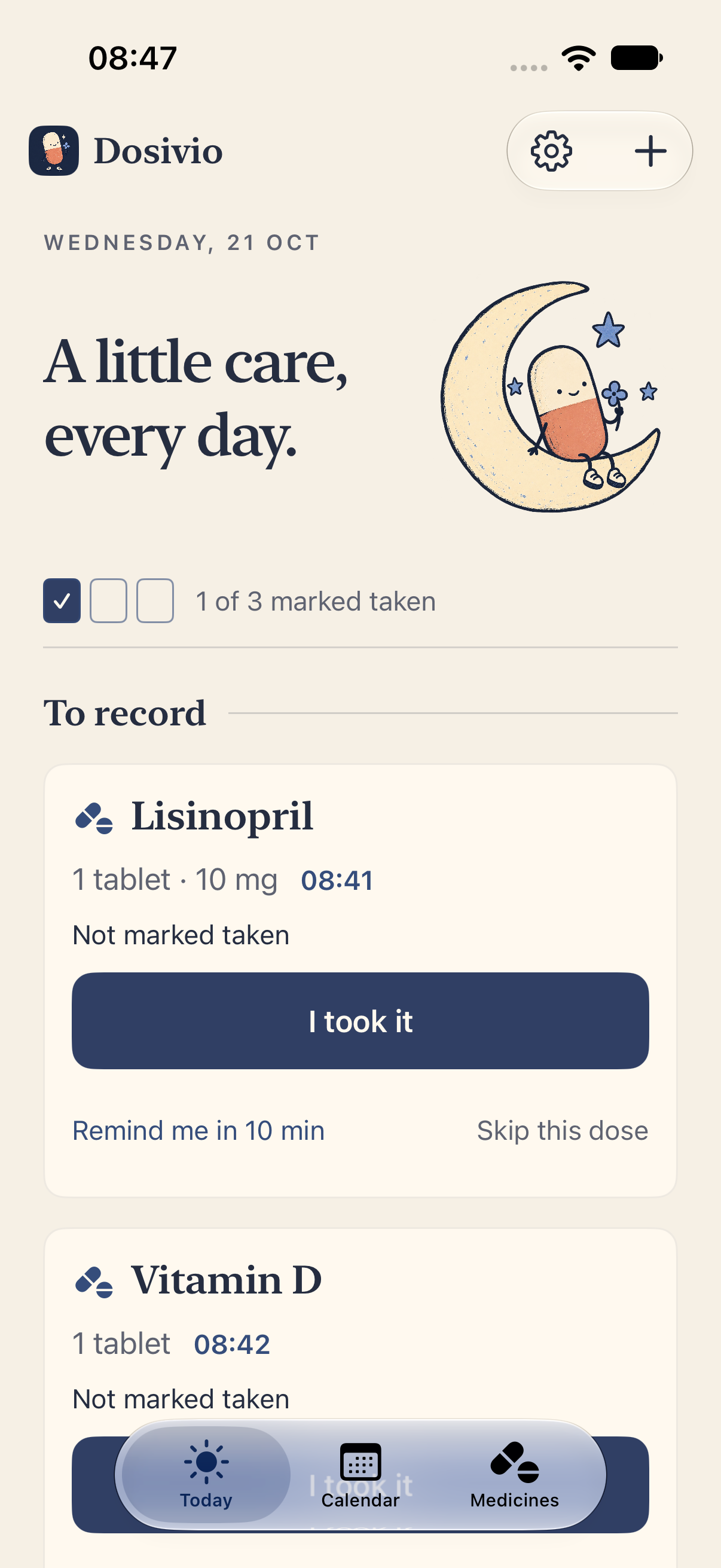
The actual app, with example medicines. Light mode.
A little more you.12 or 24 hours · Monday or Sunday · Light, dark or system
In version 1.2 · Free Apple Health import · iOS 26+
Bring your history.
Keep your rhythm.
Start fresh without leaving your records behind.
Version 1.2 adds Apple Health during setup or in Settings. Select medications, preview their taken and skipped doses, and choose how far through your history to import. Link a medicine you already have, or add a new one.
Confirm the dose and reminder schedule before activating an imported medicine. Prefer just the history? Keep it without turning on reminders. You can undo the last import while preserving later changes.
A manual, one-way import with your permission. Dosivio does not create medications or mark doses taken in Apple Health. Imported records stay on your device. No Extras purchase required.
Dosivio Extras
A little extra.
One small purchase.
Your routine, a little closer. On your Home Screen, on your wrist, and in colors that feel like you.
€5.99 once
One-time unlock. Local App Store pricing may vary.
Your days, at a glance.
Explore entered history and upcoming schedules in Calendar. Browse by month or day, filter by medicine (version 1.2 jumps to its latest taken dose), and review individual records.
A glance at your wrist.
Record Taken and Undo on your wrist. Version 1.2 adds a remaining-dose list and Skip from scheduled Watch notifications. Offline Watch entries wait to sync with your iPhone.
A little help on your Home Screen.
Overview widgets show your next dose and today’s progress. Add “Record a dose” to mark a due dose taken directly. Early entries open the app for confirmation. Lock Screen widgets offer a quick glance. Version 1.2 adds the Watch Smart Stack and supported watch face complications.
Your routine. Your shortcuts.
In version 1.2, Extras lets you log scheduled or as-needed medication, check what’s next and use your dose records in Apple Shortcuts. After a dose saves, your shortcut can start a timer, add a note or continue with your own actions.
Three more ways to make it yours.
Rosewater, Apricot and Periwinkle each bring their own light and dark palette. Your chosen colors follow you across iPhone, Apple Watch and widgets. Moonlight is always free.
Your own backup.
Save a backup file, then restore it in Dosivio when you need it. You choose where to keep it.
A history you can take with you.
Export the records you entered as a CSV file for a spreadsheet or to share yourself.
One €5.99 purchase covers everything in Extras. No subscription. Reminders, today’s dose recording and corrections, and display preferences are part of the free iPhone app. Widget medicine names are hidden by default; direct recording requires visible names, otherwise the app opens for review.
Small screens. A little more ease.
Close at hand.
Out of your head.
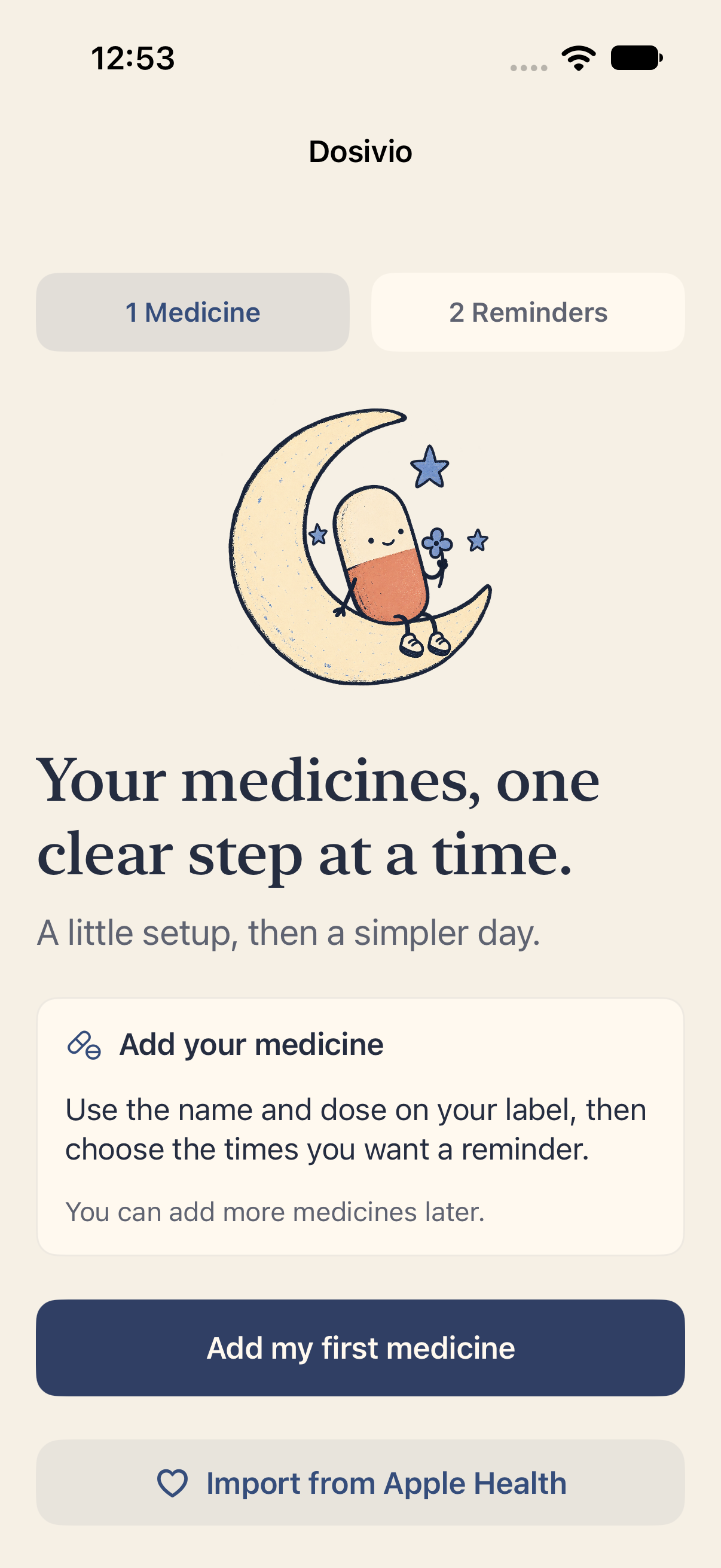
Actual Dosivio screens, with example medicines.
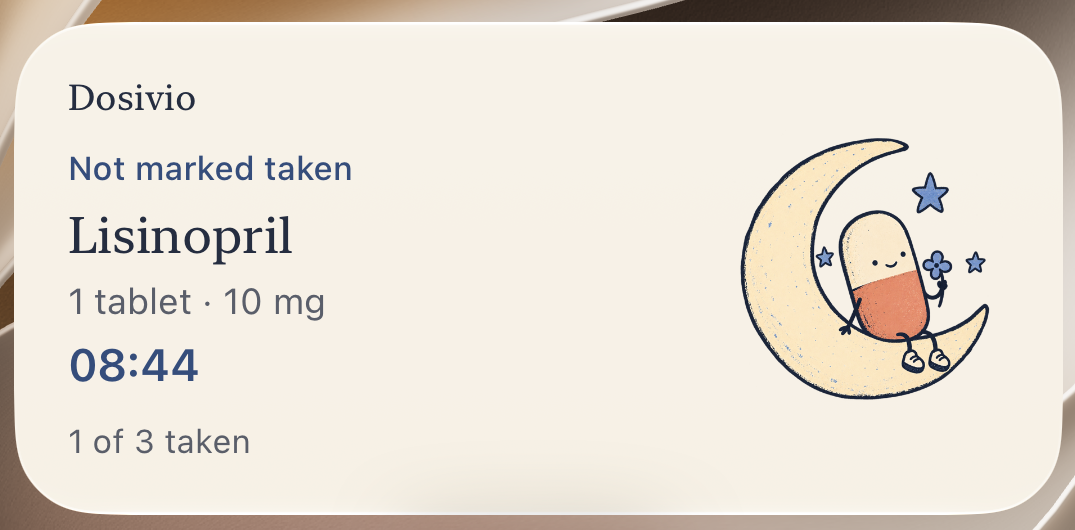
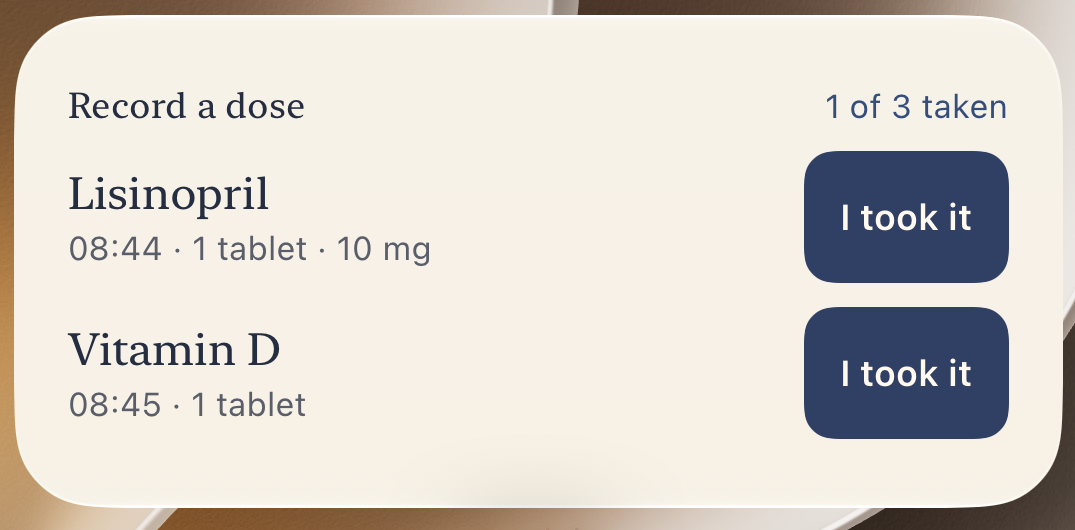
A glance. Or a quick entry.
Choose the overview or the interactive widget. Record due doses from your Home Screen; confirm early entries in the app.
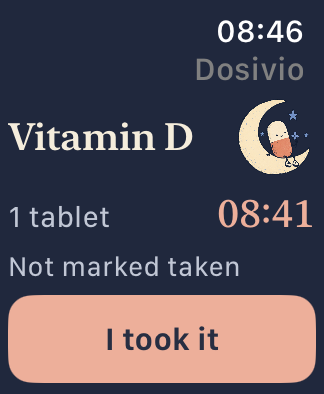
A small companion on your wrist.
See what’s next, record a dose, and let offline entries sync when your iPhone reconnects.
Simulator captures with sample records. Widget appearance and refresh timing follow iOS; widgets do not replace scheduled notifications.
Personal means personal
Your routine.
Your records.
Your medicine records are stored on your device. No account to create. No feed to check.
Paired Watch sync and the backup or export files you choose to create let you use your records where you need them. Medicine names stay hidden in notifications unless you turn them on.
A few things to know
Small app.
Clear answers.
Can I record a dose before its reminder?
Yes. Choose “Mark taken now” and confirm the medicine, dose and scheduled reminder. The app records your entry time and cancels only that dose’s reminder.
Can I import from Apple Health?
Version 1.2 adds this on iOS 26 or later. Choose the medications Health may share, preview the import, include or leave out dose history, and optionally set an inclusive history end date. Newly imported medicines stay inactive until you confirm their dose and schedule. Undo removes unchanged items from the last import; existing records and later changes are preserved. This does not write back to Apple Health.
Can I use Dosivio with Apple Shortcuts?
Version 1.2 adds Dosivio Extras actions to record scheduled or as-needed medication, get your next dose, list today’s remaining doses and find your last recorded dose. Combine a logging action with a timer, a note or another action after a successful save. Early doses require confirmation. Tapping Taken inside Dosivio or a notification does not automatically run a separate shortcut.
Can I see a dose before its reminder?
Version 1.2 adds optional Live Activities with Extras on iOS 26 or later. Choose a start time from 1 to 120 minutes before a scheduled dose. Up to five upcoming activities are prepared; open Dosivio regularly to prepare more. Delivery depends on system permissions and limits.
Can I make the app feel more like me?
Choose your medicine icons, 12- or 24-hour time, Monday or Sunday as the first day of the week, and Light, Dark or System appearance. The free Moonlight theme is included; Extras adds Rosewater, Apricot and Periwinkle.
Do I need an account or a subscription?
No account is needed. Dosivio Extras is a one-time €5.99 purchase, covering Calendar history and upcoming views, the Watch companion, Home Screen and Lock Screen widgets, three additional color themes, file backups and CSV history export. Version 1.2 also adds Apple Shortcuts and Live Activities to the same unlock. The app shows your local App Store price before purchase.
Does Dosivio tell me when to take medicine?
You enter the schedule from your label or healthcare professional’s instructions. Dosivio is a reminder and record of the actions you enter. It does not recommend treatment or decide whether it is safe to take a dose early.
Where can I download it?
Dosivio is available now on the App Store. Download the free iPhone app; the Apple Watch companion is included with Dosivio Extras. Requires iOS 17 or later; Apple Watch requires watchOS 10 or later.
Here for the everyday
A little care.
Love, Dosivio.
Available now. Start with the free iPhone app.
Download on the App Store